Code Editor
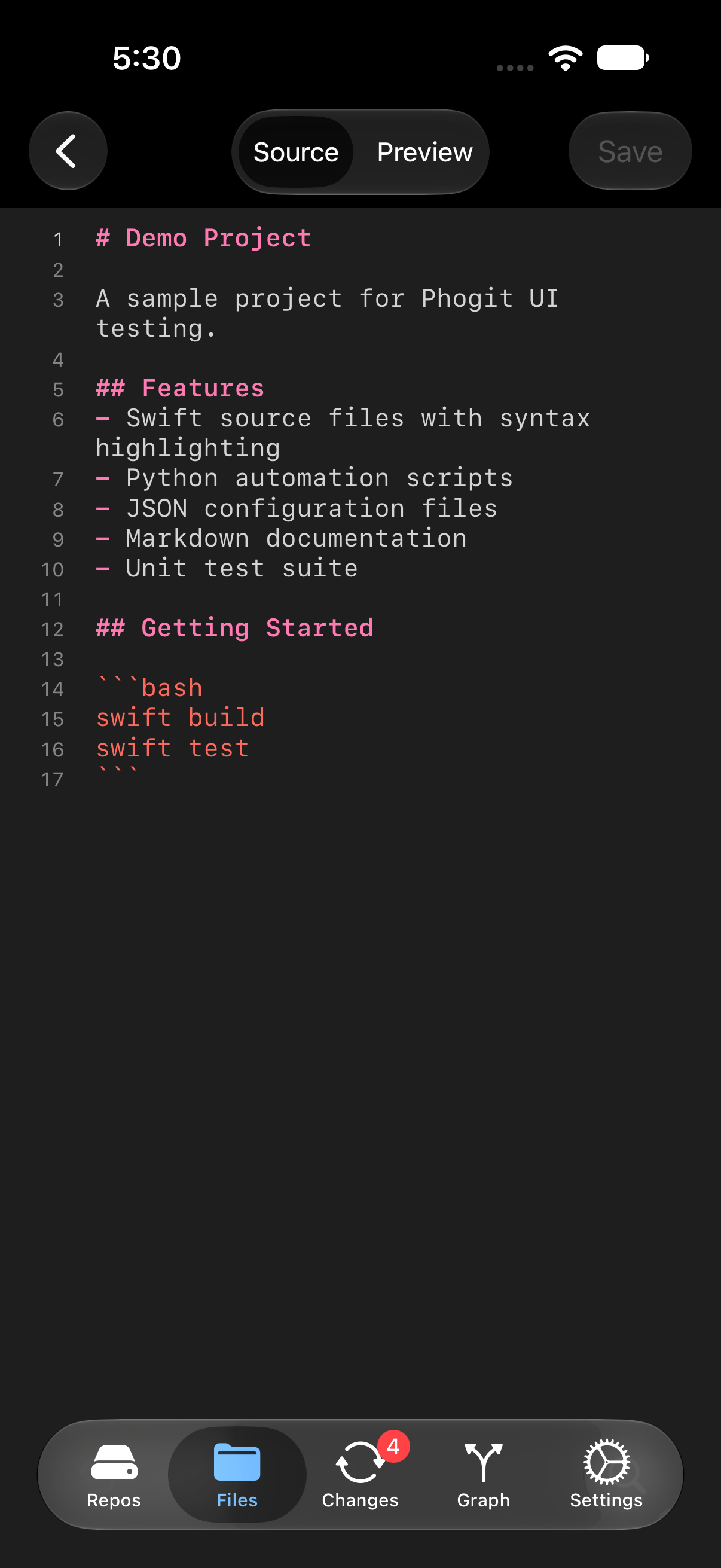
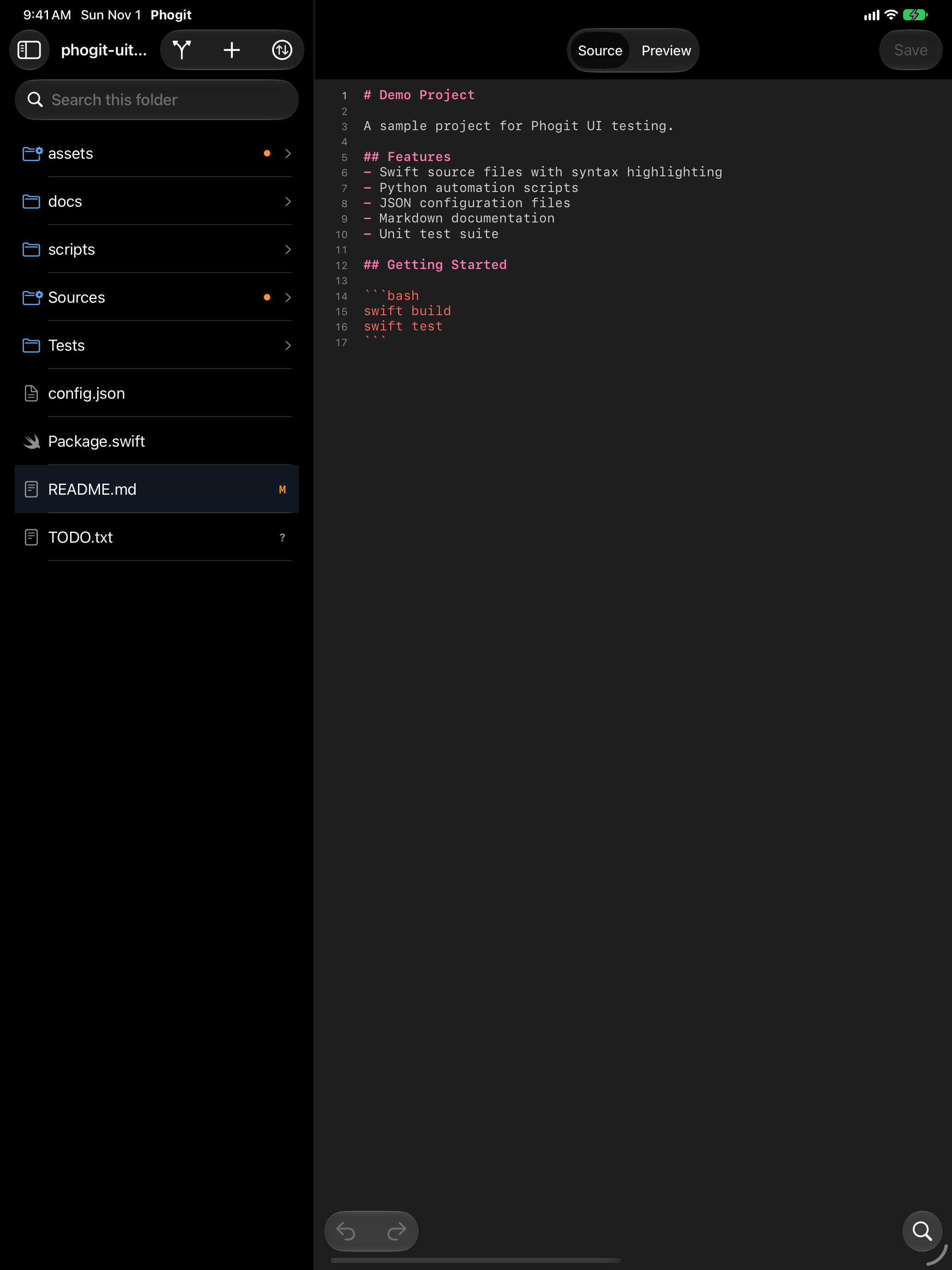
Tap a file in the file browser to open it in the editor. On iPhone the editor opens over the file list; in the iPad split layout it fills the right-hand column. Saved edits show up in the Changes tab.




What the editor opens
| File | What you see |
|---|---|
| Text and source files up to 5 MB | The editor, with syntax highlighting for supported languages |
| Markdown, HTML and Jupyter notebooks | The editor plus a rendered preview |
| Images (PNG, JPEG, GIF, HEIC, WebP) | The image, with its pixel size and file size |
| Binary files | A note that the file isn’t text and can’t be shown |
| Files over 5 MB | A note with the file’s size and the 5 MB limit |
A file in a text encoding the editor can’t read also gets an explanation instead of garbled text.
Syntax highlighting
Phogit highlights 19 languages. It picks the language from the file’s extension, in any letter case (.R and .r both work), and it knows some file names, such as Dockerfile and Gemfile. A script with no extension is recognized by its #! line.
| Language | Extensions and file names |
|---|---|
| C | .c, .h |
| C++ | .cpp, .cc, .cxx, .c++, .hpp, .hh, .hxx, .h++, .ipp, .tpp, .inl |
| CSS | .css |
| Dockerfile | Dockerfile, Containerfile and variants such as Dockerfile.prod; .dockerfile, .containerfile |
| Go | .go |
| HTML | .html, .htm, .xhtml |
| JavaScript | .js, .jsx, .mjs, .cjs; node scripts |
| JSON | .json, .jsonl, .geojson |
| Markdown | .md, .markdown, .mdown, .mkdn; R Markdown (.Rmd, .rmarkdown) and Quarto (.qmd) |
| Python | .py, .pyw, .pyi; python and python3 scripts |
| R | .R, .Rprofile; Rscript scripts |
| Ruby | .rb, .rake, .gemspec, .ru, .podspec, .rbi, .jbuilder; Gemfile, Rakefile, Podfile, Brewfile, Vagrantfile, Guardfile, Dangerfile, and fastlane’s Fastfile, Appfile, Matchfile and Pluginfile; ruby scripts |
| Rust | .rs |
| Shell script | .sh, .bash, .zsh, .ksh, .env; bash, zsh and sh scripts |
| SQL | .sql |
| Swift | .swift; swift scripts |
| TOML | .toml, Cargo.lock, Pipfile |
| TypeScript | .ts, .tsx, .mts, .cts |
| YAML | .yml, .yaml |
.h headers open as C, even in a C++ project. R Markdown and Quarto documents open as Markdown, with a Markdown preview.
Other text files, such as Makefiles, open as plain text, without coloring. You can still edit them.
The editor follows your Dynamic Type text size, and its colors follow the light or dark appearance (see Settings › Appearance › Theme).
Editing
Tap anywhere in the file to start typing. Line numbers run down the left side.
- The row above the keyboard has Tab (which inserts four spaces) and
{ } ( ) [ ] " . ; : = # /, plus undo, redo and a button that hides the keyboard. - Undo, Redo and Find are also in the bottom toolbar. Find opens the system find bar, which can replace text too while you’re editing.
Saving
Tap Save at the top right. It’s available whenever there are unsaved changes.
Phogit also saves when you leave the file, open a different file or switch to another app. If a save fails, for example because the file was deleted in the Files app, Phogit tells you.
Keyboard shortcuts
With a hardware keyboard on iPhone or iPad:
| Shortcut | Action |
|---|---|
| ⌘S | Save |
| ⌘F | Find |
| ⌘Z | Undo |
| ⇧⌘Z | Redo |
Standard text-editing shortcuts, such as select all, copy, paste and moving by word or line, work as they do in other apps.