Explore a Repository
Get to know an unfamiliar codebase from your phone
You want to understand an open-source project before contributing, or you’re just curious how something works. No account needed: any public repository will do.
1. Clone It
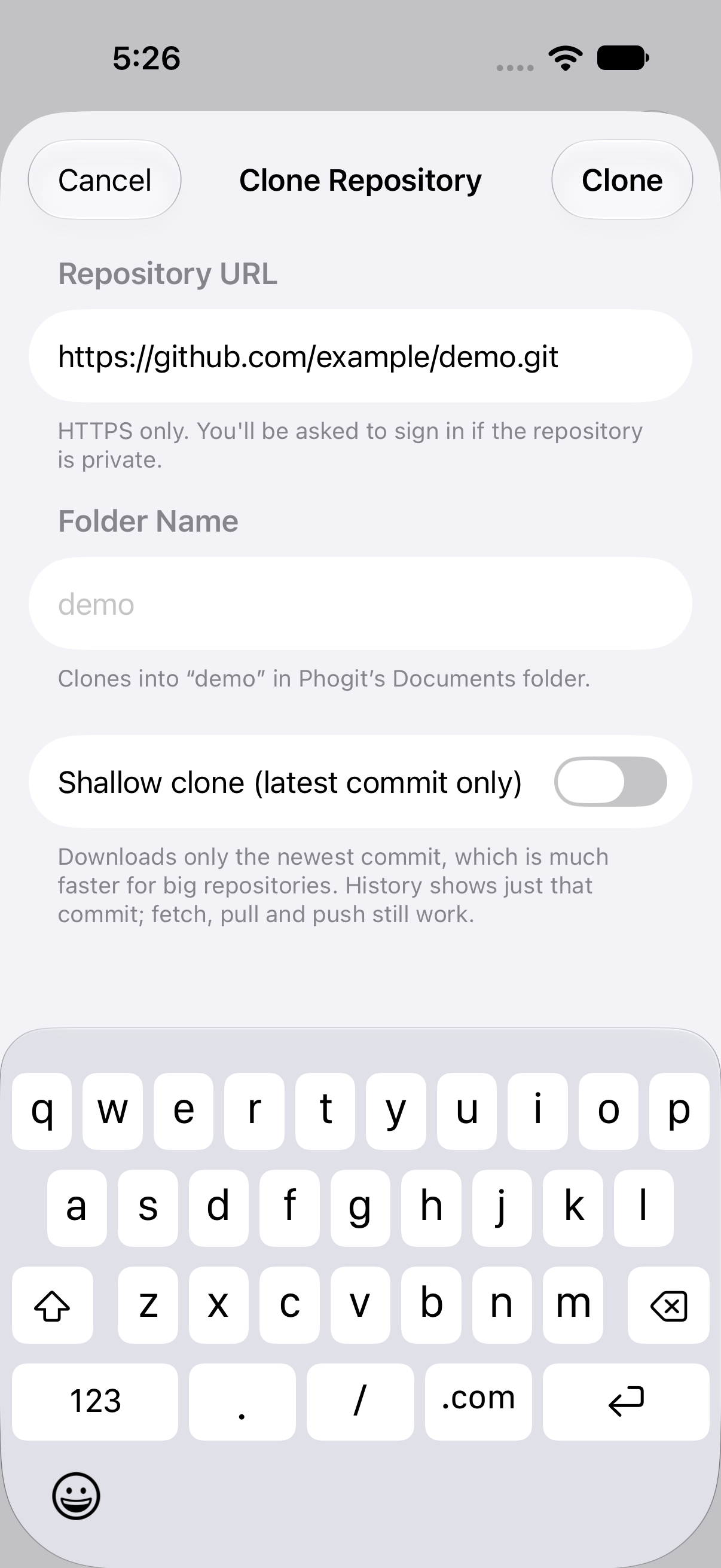
In the Repos tab, tap + › Clone Repository, paste the HTTPS URL (for example https://github.com/octocat/Hello-World) and tap Clone.
For a large project, turn on Shallow clone. You get the current code quickly without downloading years of history. Leave it off if you want to dig through the full history in step 4.
You can also share the repository’s page from Safari straight to Phogit. See Share a Repository Link.
2. Get the big picture
Look at the top level in the Files tab: source folders, tests, docs and config files. The GitHub style gives you a breadcrumb path for jumping back up; the Sidebar style shows the whole tree, expanding folders as you go.
Turn on Show Hidden Files in Settings to see folders such as .github, which often hold CI and contribution settings.

3. Read the key files
Start with the files that explain the project:
- README: what it is and how to use it;
- CONTRIBUTING and docs/: how the project is organized;
- config files such as
package.json,pyproject.tomlorPackage.swift: dependencies and entry points.
For Markdown files, switch to Preview for a rendered view with headings, lists, code blocks and tables. See Preview Modes.

4. Explore the history
The Graph tab shows how the project has developed:
- How active is it? Look at the dates on recent commits.
- How do they branch? Long-lived release branches, short feature branches, or everything on
main? - How do they merge? Merge commits show up where lanes join.
Search by message to find when something was introduced, for example “auth” or “migrate”, or by author to see someone’s work. Tap a commit for its full message.

5. Try something out
Want to experiment? Make a branch, edit away, and commit locally. Nothing reaches the original project unless you push, and you can’t push to someone else’s repository without access anyway. When you’re done, remove the repository with Delete Files.
Reading code on your phone won’t replace your editor, but it’s a good way to build a mental model of a project on a commute or between meetings.