Commit Graph
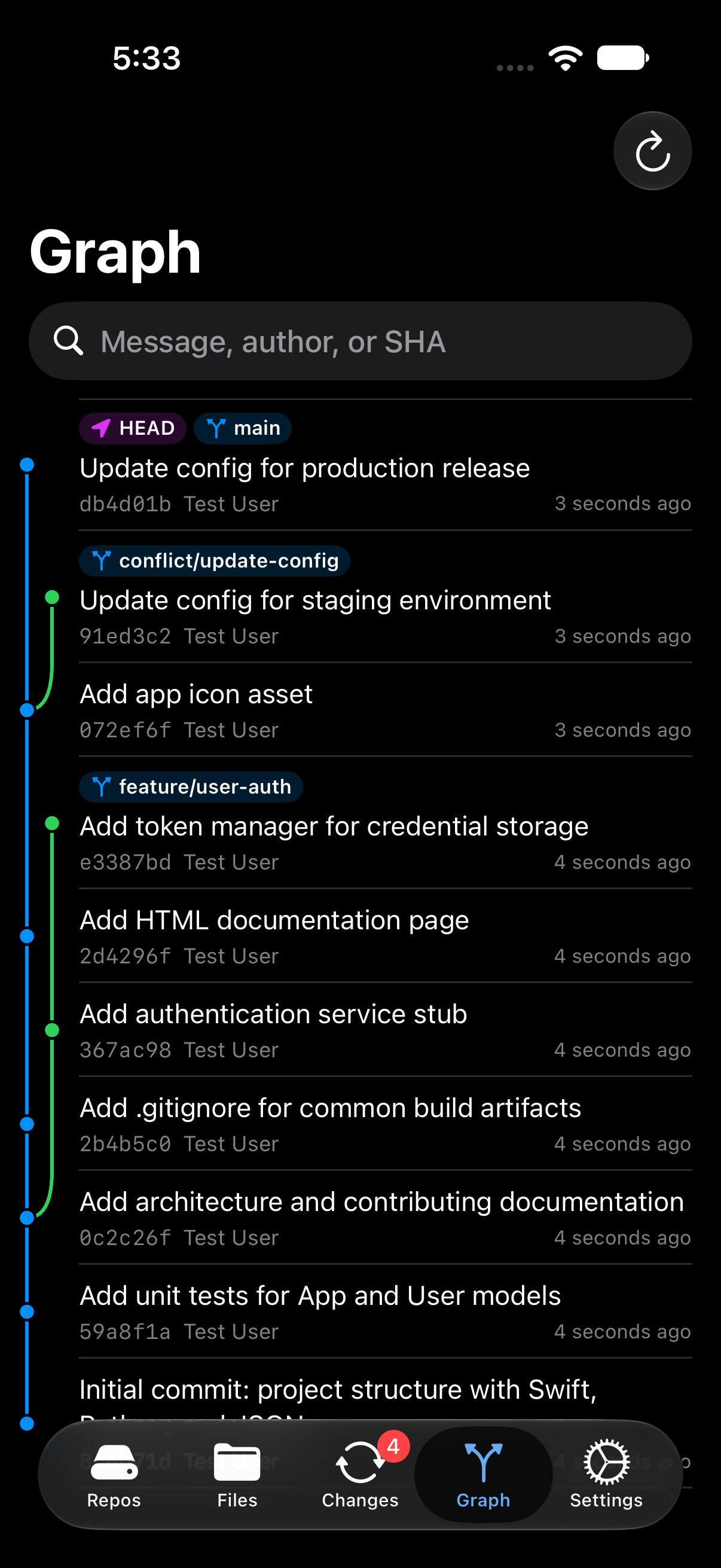
The Graph tab shows the repository’s history: every branch and tag, newest commits first, drawn as colored lanes so you can see where branches split off and merge back.




Reading the graph
Each row is one commit and shows:
- the first line of its message;
- its short SHA and author;
- how long ago it was made;
- labels for any refs pointing at it: HEAD (where you are), branches, and tags (in orange).
Lines on the left connect each commit to its parents. Each lane has its own color, and a merge commit is where two lanes join.
Very wide histories are clipped so the commit text stays readable: the graph draws up to 6 lanes on iPhone and 12 on iPad. Commits on the extra lanes are still listed, but their lines aren’t drawn.
Older commits
Phogit loads history a page at a time. Keep scrolling and older commits load as you go, all the way back to the first commit. Pull down, or tap the refresh button, to reload after a fetch or pull.
Shallow clones
In a shallow clone, the graph says Showing recent history only above the commits. Tap Load Full History to download the rest. A progress bar with Cancel shows how it’s going, and when it’s done the graph reloads with every commit.
Search the history
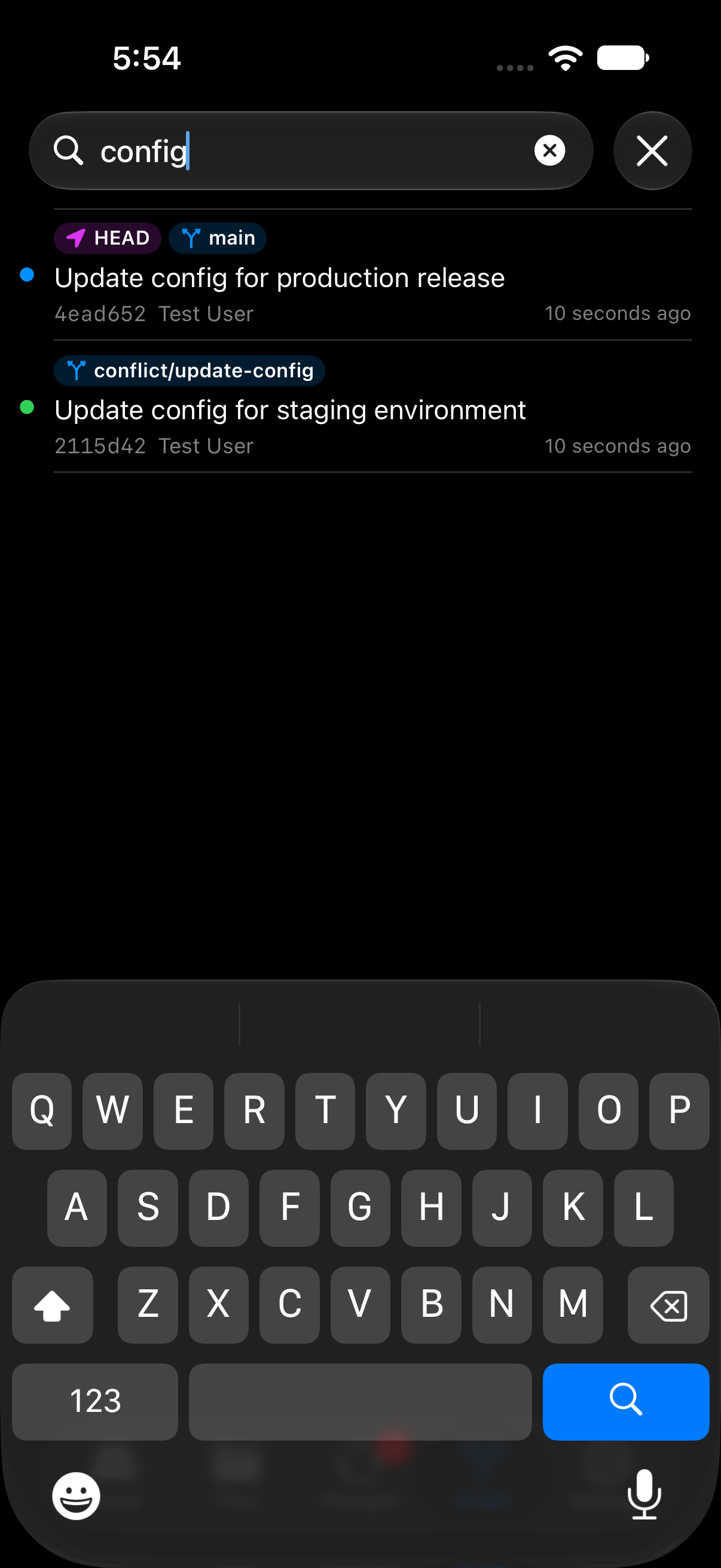
Type in the search field to filter by message, author or SHA. While you search, the lanes are hidden and matching commits are listed on their own.
Search looks through the commits loaded so far. If what you want is older, tap Search Older Commits at the bottom of the results to load more and keep searching.



Commit details
Tap a commit, or long-press it and choose Show Details, to see:
- the full commit message;
- its branches and tags;
- the author’s name and email, and the date;
- the full SHA, with a button to copy it;
- the parent commit (or both parents, for a merge commit);
- Revert Commit… (see below).


To copy a SHA without opening the details, long-press the commit and choose Copy SHA.
Revert a commit
To undo a commit without rewriting history, open its details and tap Revert Commit…. Phogit asks Revert This Commit?, then makes a new commit on the current branch that undoes it, with the message Revert "…". A banner confirms it, for example Committed “Revert “Add login”” (1a2b3c4).


- If you have staged changes, or edits to files the revert would change, Phogit asks you to commit or stash them first. Nothing changes until you do.
- If the revert conflicts with later changes, Phogit takes you to the Conflicts section in Changes. Resolve them and commit to finish.
- Merge commits can’t be reverted yet.